LLM Integration Patterns: A Technical Architecture Guide
7 proven patterns for enterprise LLM deployment-when to use each, architecture diagrams, cost profiles, and a decision framework for CTOs, architects, and engineering leaders.

Eric Garza
"Just wrap GPT-4 in an API and ship it."
Six months later: $200K in API costs, a security audit failure, and performance issues at scale. The integration looked simple in the demo. It looked very different in production.
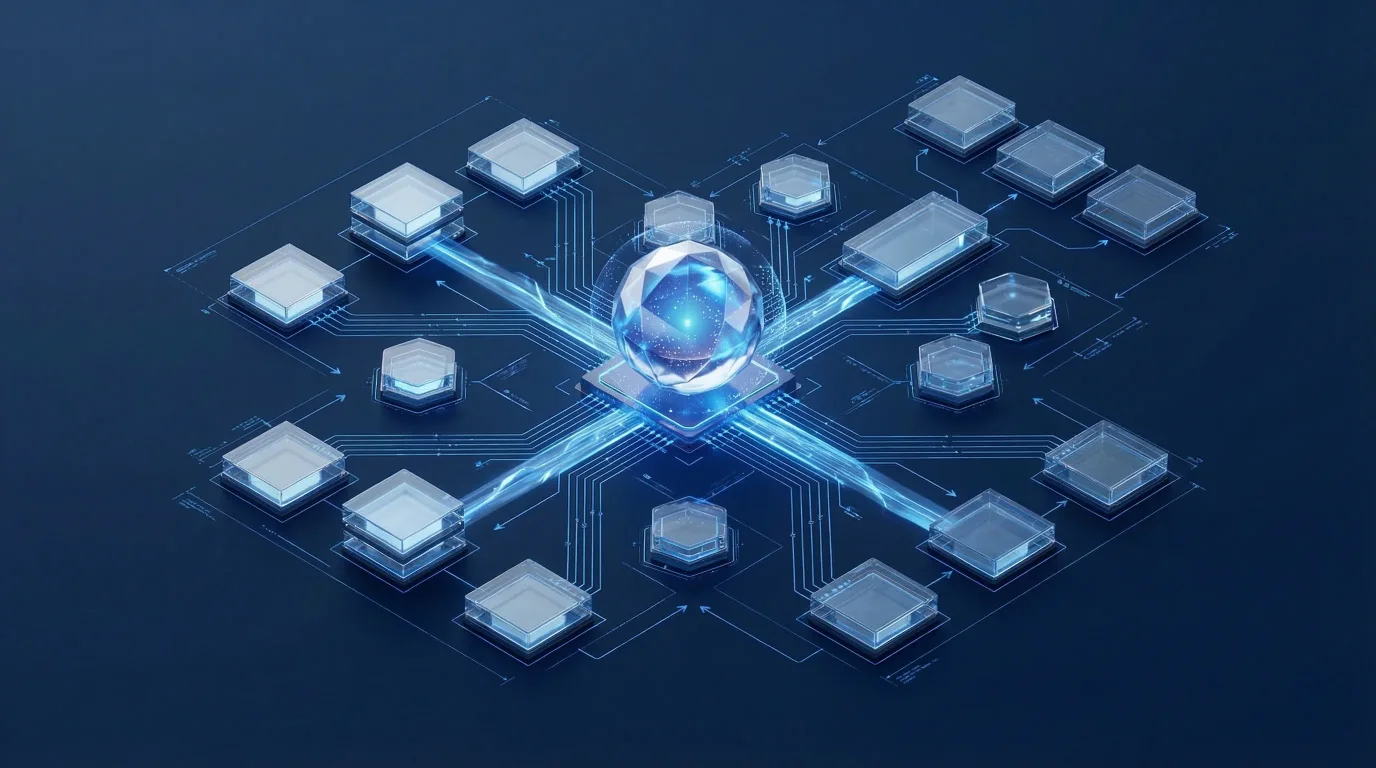
LLM integration is architecturally different from conventional API integration. The latency characteristics, cost models, security surfaces, and failure modes are distinct. Every architectural decision has tradeoffs-and the wrong choice at the beginning is expensive to reverse.
This guide is for CTOs, solution architects, and engineering leaders evaluating LLM integration for production workloads. We'll cover seven proven patterns, when to use each, and how to choose based on your specific requirements.
The Pattern Overview and Decision Framework
Before the patterns themselves, the framework for choosing between them:
Query volume: Under 100K queries/month → Direct API is viable. Over 500K/month → evaluate private deployment economics.
Data sensitivity: High sensitivity (PHI, financial data, legal documents, IP) → private or hybrid patterns. Low sensitivity → API is acceptable.
Latency requirements: Under 500ms → edge deployment or heavily optimized private. Under 2 seconds → standard patterns with caching.
Customization needs: High (specific domain, consistent format, proprietary style) → fine-tuned models. Low → prompt engineering with standard models.
Budget: Limited (early stage, proof-of-concept) → API. Flexible with long-term program horizon → evaluate total cost of ownership.
The seven patterns:
- Direct API Integration
- RAG (Retrieval Augmented Generation)
- Fine-tuned Models
- Agent-Based Systems
- Hybrid Approaches
- Edge Deployment
- Federated Learning
Pattern 1: Direct API Integration
The simplest path-but not always the right one.
User Request
    ↓
Application Backend
    ↓
LLM API (OpenAI / Anthropic / Gemini)
    ↓
Response Processing
    ↓
User Response
When to use it:
- MVP or proof-of-concept
- Query volume under 100K/month
- Non-sensitive data
- Need access to the latest models immediately
- Limited engineering resources available
Advantages: Fastest time to implementation (days, not weeks), no infrastructure management, always current models, simple to understand and debug, predictable costs at low volume.
Disadvantages: Data leaves your infrastructure, per-token costs scale linearly and painfully at volume, API rate limits cap throughput, vendor dependency on model availability and pricing, latency includes network round-trip plus inference time, no meaningful customization.
Cost profile:
- Implementation: $10K–25K
- Monthly at 1M tokens: $3K–6K
- Annual at 12M tokens: $36K–72K
Performance: Latency 1–3 seconds typical, throughput limited by API quotas and tier, availability dependent on vendor SLA.
Security considerations: Data transmitted to third party with encryption in transit (HTTPS), API key management critical and frequently mishandled, no control over vendor data handling policies, compliance challenges for any regulated data.
Real example: A SaaS startup used direct API integration for AI-powered customer support suggestions. Volume: 50K queries/month. Cost: $1,800/month. Implemented in two weeks. The economics and architecture were appropriate for their scale.
Optimization tips: Cache common responses aggressively, implement request batching where latency tolerance allows, use streaming responses for better perceived performance, monitor costs weekly with alerts, build fallback mechanisms for rate limit scenarios.
Pattern 2: RAG (Retrieval Augmented Generation)
Giving your LLM access to your proprietary knowledge.
User Query
    ↓
Vector Search (retrieve relevant documents)
    ↓
Context + Query → LLM
    ↓
Grounded, Cited Response
Detailed flow:
Document Ingestion:
Documents → Chunking → Embedding Model → Vector Database

Query Processing:
User Query → Embedding → Vector Search → Top K Results

LLM Generation:
Query + Retrieved Context → LLM → Answer with Sources
When to use it:
- Need to query proprietary documents or a knowledge base
- Knowledge changes frequently (can't fine-tune continuously)
- Want the LLM to cite specific sources
- Need to reduce hallucinations by grounding responses in facts
- Don't have sufficient training data for fine-tuning
Advantages: Accesses current proprietary data without retraining, dramatically reduces hallucinations, can cite specific sources, knowledge base updates without model changes, works with any LLM backend.
Disadvantages: Retrieval quality is critical and hard to tune, requires additional infrastructure (vector database), latency overhead from retrieval step plus generation, context window limitations constrain how much retrieved content you can include, chunking strategy significantly impacts output quality.
Components required:
- Vector database: Pinecone, Weaviate, Chroma, or Qdrant
- Embedding model: OpenAI text-embedding-3-large, Cohere, or open-source Sentence Transformers
- LLM: Any capable model (GPT-4, Claude, Llama)
- Orchestration: LangChain, LlamaIndex, or custom
Cost profile:
- Implementation: $40K–80K
- Vector database: $200–800/month
- Embeddings: $100–500/month
- LLM API: $2K–10K/month depending on volume
Key design decisions that determine success:
Chunking strategy: Small chunks (200 tokens) give more precise retrieval but require more API calls. Large chunks (800 tokens) provide more context but less precise matching. The practical optimum is typically 400–600 tokens with 50-token overlap. Test empirically for your content type.
Retrieval method: Dense retrieval (vector similarity) captures semantic meaning. Sparse retrieval (BM25) captures keyword matching. Hybrid retrieval combines both and consistently outperforms either alone.
Context assembly: Stuff (simple concatenation) is fast but limited by context window. Map-Reduce handles more documents but adds latency. Refine produces highest quality through iterative improvement.
Real examples:
Legal firm: 10,000 contract documents indexed. RAG answers legal questions, citing specific clauses. 94% answer accuracy, average response latency 3 seconds, monthly cost $4K.
Technical support: 5,000 support articles indexed. Agent-assist system. 89% tier-1 deflection rate, support cost reduction of 45%.
Internal knowledge base: 50,000 company documents indexed. Employee Q&A system. Saved an average of 2 hours per employee per week finding information. ROI: 520%.
Pattern 3: Fine-tuned Models
When prompt engineering reaches its limits.
Training Data (500–10,000 examples)
    ↓
Base Model → Fine-tuning Process → Custom Model
    ↓
Deployment (API or Private Infrastructure)
When to use fine-tuning:
- Specialized domain knowledge that can't be captured in prompts
- Output format consistency is critical (structured data, specific templates)
- Cost optimization at high volume (smaller fine-tuned model can replace larger base model)
- Proprietary style, tone, or terminology
- High-volume, repetitive tasks where per-token cost adds up
Fine-tuning vs. RAG:
| Use Fine-Tuning When | Use RAG When |
|---|---|
| Teaching new skills or style | Knowledge changes frequently |
| Output format consistency matters | Need to cite sources |
| Want a smaller, faster model | Quick implementation needed |
| Static knowledge domain | Multi-domain queries |
| High query volume (cost) | Insufficient training data |
Data requirements:
- Minimum viable: 50–100 high-quality examples (often surprising how little is needed)
- Recommended: 500–1,000 examples
- Optimal: 5,000–10,000 examples
- Quality consistently matters more than quantity
Cost profile:
OpenAI fine-tuning: Training runs $0.008/1K tokens. Usage costs 2–3× base model pricing. Fine-tuning GPT-3.5 with 100K tokens costs approximately $800. Monthly usage at 1M tokens: $4K–6K.
Private fine-tuning (Llama 2 or similar): Infrastructure $50K–150K upfront, training compute $500–5K per training run, inference at fixed cost. Break-even against API at high volume in 2–3 years.
Real examples:
Customer support: Fine-tuned GPT-3.5 on 2,000 support conversations. Consistent brand voice, 40% cost reduction versus GPT-4, 92% response quality parity.
Legal contract generation: Fine-tuned Llama 2 70B on proprietary contract templates. Specific clause formatting enforced consistently. Private deployment for client confidentiality. 10× faster than GPT-4 for this specific task.
Medical coding: Fine-tuned for ICD-10 coding from clinical notes. 96% accuracy versus 78% for GPT-4 zero-shot. HIPAA-compliant private deployment. $250K annual savings versus manual coding.
Pattern 4: Agent-Based Systems
When tasks require multiple steps and tool use.
User Goal
    ↓
Agent (LLM + Tools + Memory)
    ├─→ Tool: Search
    ├─→ Tool: Calculator
    ├─→ Tool: API Call
    └─→ Tool: Database Query
    ↓
Reasoning Loop: Plan → Act → Observe → Repeat
    ↓
Final Answer
When to use agents:
- Multi-step reasoning required to reach an answer
- Need to use external tools, APIs, or data sources
- Complex decision-making with conditional branches
- Dynamic workflows that vary based on intermediate results
- Autonomous task completion with minimal human intervention
Agent architectures:
ReAct (Reason + Act): Alternates between reasoning about the next step and taking action using available tools. Most common pattern.
Plan-and-Execute: Plans all steps upfront, then executes. More predictable behavior, less adaptive to unexpected intermediate results.
Self-Ask: Decomposes complex questions into sub-questions, answers each, then synthesizes a final answer.
Advantages: Handles genuinely complex multi-step tasks, can use external tools and real-time data, adapts to unexpected situations, reduces the need for hardcoded conditional logic.
Disadvantages: Non-deterministic behavior makes testing and debugging difficult, can be expensive (multiple LLM calls per task), latency is high (multiple round-trips), tool design quality heavily influences output quality.
Real example: A research automation agent deployed for competitive intelligence. Input: "Summarize competitor X's Q3 performance." The agent plans, executes four tool calls (news search, financial data API, SEC filings, analyst reports), applies three LLM reasoning steps to synthesize, and returns a comprehensive summary with sources. Time: 15 seconds. Cost per query: $0.08.
Pattern 5: Hybrid Approaches
Optimizing cost, performance, and security simultaneously.
User Query
    ↓
Routing Layer (classify query type and sensitivity)
    ├─→ Common queries → Cached responses (< 10ms)
    ├─→ Factual queries → RAG system
    ├─→ Creative tasks → GPT-4 API
    ├─→ Sensitive data → Private LLM
    └─→ Complex tasks → Agent system
When to use hybrid:
- Different query types have genuinely different requirements
- Need to optimize total cost while maintaining security for sensitive data
- Transitioning gradually from API to private deployment
- Mixed sensitivity data where blanket rules are inefficient
Real example: A financial services company implemented hybrid routing. Customer chat (non-sensitive) routes to Claude API. Document analysis (client financial data) routes to private Llama 2. Report generation uses a fine-tuned model. Research tasks use the RAG system. Result: 60% cost reduction compared to all-API architecture, security requirements met for sensitive workflows.
The routing layer is the critical component-it must classify accurately and fail safely (default to the most restrictive path on uncertainty).
Pattern 6: Edge Deployment
When latency requirements or connectivity constraints demand local inference.
Edge deployment runs LLM inference on devices (mobile, IoT, edge servers) rather than in centralized infrastructure. Enables sub-100ms latency, offline operation, and zero data transmission.
Best for: Real-time applications (manufacturing quality inspection, medical devices), offline environments, applications where any network transmission creates compliance exposure.
Tradeoffs: Limited model size (typically 7B parameters or smaller), significant hardware constraints, model management complexity across distributed devices, high upfront cost for hardware fleet.
Pattern 7: Federated Learning
For organizations that need AI trained on distributed data without centralizing it.
In federated learning, models train on data that never leaves each participant's environment. Each site trains locally; model updates (not data) are aggregated centrally.
Best for: Healthcare consortiums sharing insights without sharing patient data, financial institutions collaborating on fraud detection models, any scenario where the training data itself can't be centralized.
Tradeoffs: Highest complexity of any pattern, significant infrastructure and coordination overhead, currently best suited for specific ML tasks rather than general LLM fine-tuning.
Decision Matrix: Choosing Your Pattern
| Pattern | Cost | Complexity | Latency | Security | Customization |
|---|---|---|---|---|---|
| Direct API | Low–Med | Very Low | Medium | Low | Low |
| RAG | Medium | Medium | Med–High | Medium | Medium |
| Fine-tuned | Med–High | High | Low–Med | High | Very High |
| Agent | Medium | Very High | High | Medium | High |
| Hybrid | Medium | High | Varies | High | Very High |
| Edge | High | Very High | Very Low | Very High | Medium |
| Federated | Very High | Very High | Medium | Very High | High |
Recommendations by use case:
Customer support chatbot: Start with RAG (company knowledge base). Scale to fine-tuned model for consistency. Add agent capabilities for complex escalations.
Document analysis: Regulated industry → fine-tuned private model. Non-sensitive → RAG with API. High volume → fine-tuned model for cost.
Content generation: Creative/open-ended → direct API (GPT-4/Claude). Brand-specific → fine-tuned. High volume → hybrid.
Research and analysis: Multi-source → agent-based. Single knowledge domain → RAG. Real-time data → hybrid (RAG + API).
The Evolutionary Implementation Path
The organizations that build sustainable LLM programs don't start with the most sophisticated architecture. They start with the architecture appropriate to what they know, and evolve:
Months 1–2: Direct API integration to prove value and establish what questions you're actually solving.
Months 3–4: Add RAG to incorporate proprietary knowledge, reducing hallucinations and improving accuracy.
Months 5–6: Optimize based on what you've learned-fine-tune where consistency matters, implement hybrid routing where cost/security tradeoffs are clear.
Month 7+: Advanced patterns (agents, edge, federated) for specific use cases where they're the right tool.
Each stage informs the next. The architectural decisions that look obvious in month six were genuinely unclear in month one.
Architecture Decisions Have Long Consequences
The wrong architectural choice at the start of an LLM program isn't a minor inefficiency. It's the foundation that every subsequent decision builds on. A security architecture retrofit six months in costs more than getting it right initially. A data sovereignty problem discovered during a compliance audit costs more than building compliance in from the start.
The decision framework matters as much as the technical implementation.
Our LLM Integration Guide goes deeper on each pattern-detailed architecture diagrams, code examples, cost calculators, security checklists, and performance benchmarks.
If you're making these architectural decisions now, our AI Integration service is where we bring this framework to your specific requirements-working through the decision tree with your actual data, your actual volumes, and your actual constraints. The patterns are general; the implementation always needs to be specific.
Was this article helpful?

About Eric Garza
With a distinguished career spanning over 30 years in technology consulting, Eric Garza is a senior AI strategist at AIConexio. They specialize in helping businesses implement practical AI solutions that drive measurable results.
Eric Garza has a proven track record of success in delivering innovative solutions that enhance operational efficiency and drive growth.